Ask anything about your work.
Your index stays yours.
Smara — Sanskrit for “memory” — builds a private knowledge graph of your mail, calendar and files on the device you’re using, and answers questions across all of it. Answers come from Smara Cloud: the text behind a single answer is sent, never stored, and never used to train a model.
On Mac: requires Apple Silicon (M1 or later) and macOS 15.1 or later. Intel Macs aren’t supported. iPhone and Android coming soon.
iPhone and Android apps coming soon.
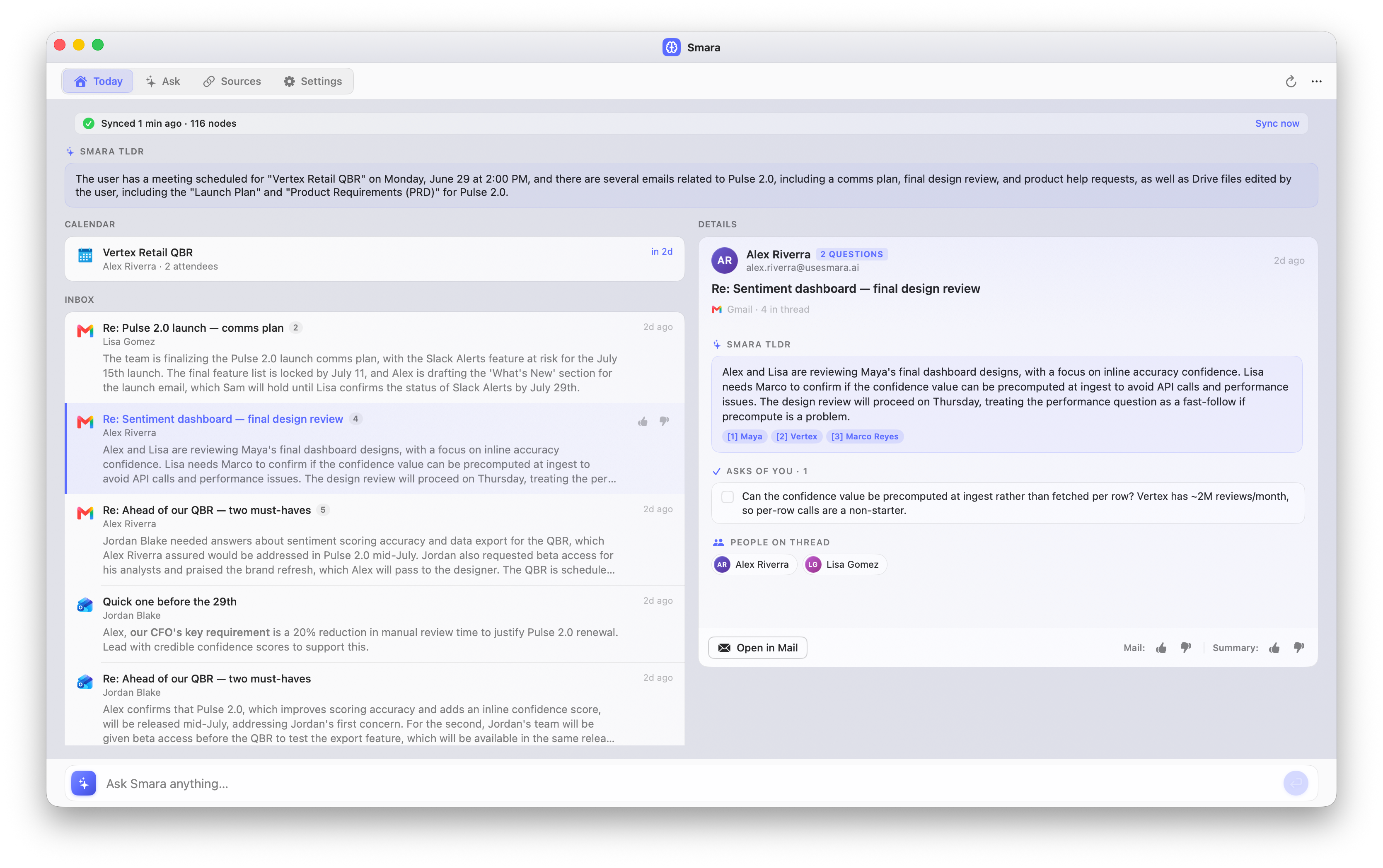
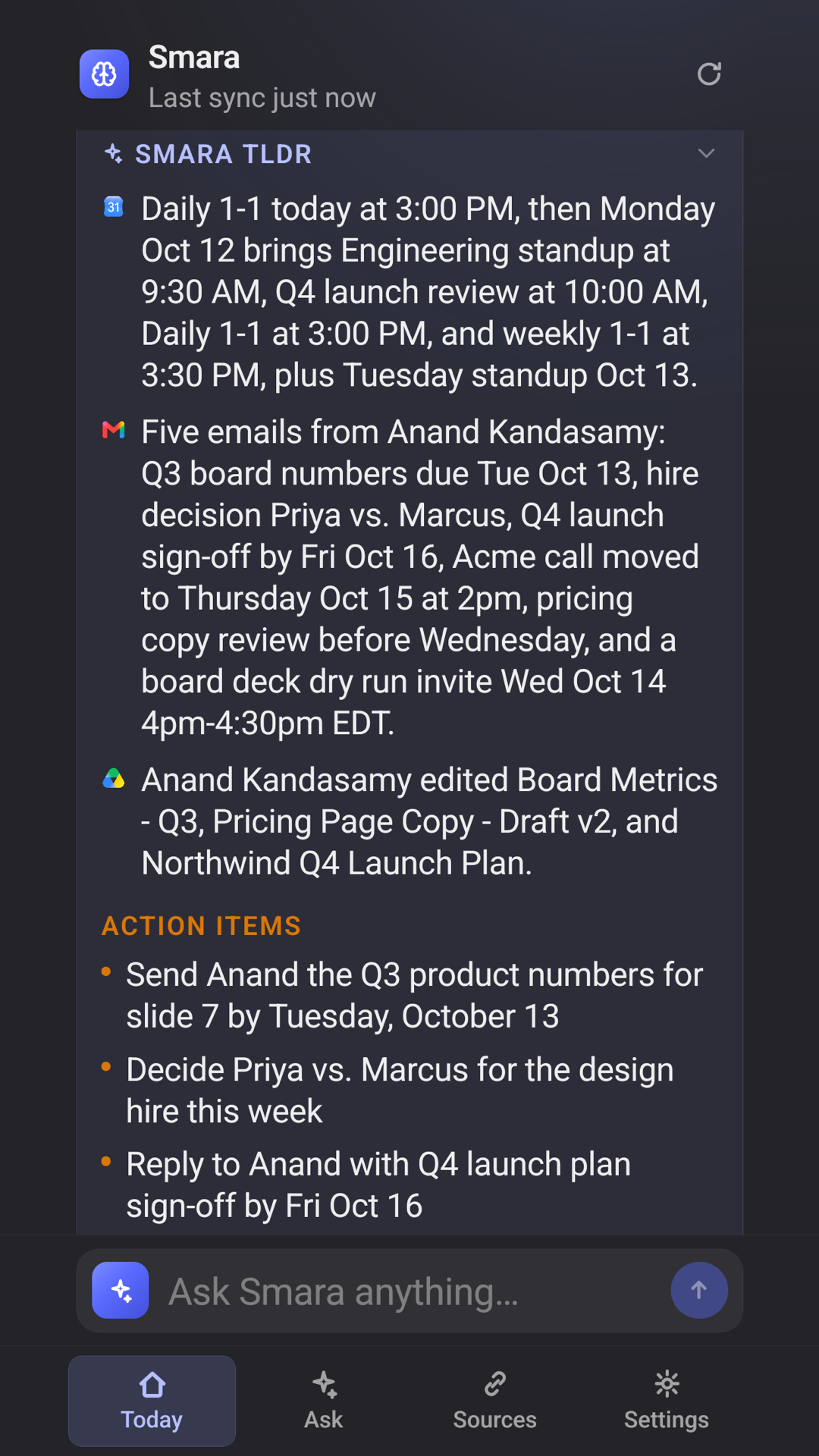
Smara connects your mail, calendar & files — and builds the index on your own device.
 Gmail
Gmail  Google Calendar
  Google Drive
  Outlook
  Outlook Calendar
  OneDrive
 Coming soon More sources & deeper integrations on the roadmap
All your work, connected — and never used to train a model.
Smara reads across your mail, calendar and files and surfaces what matters — indexed on the device you’re using, before you go looking for it.
iPhone and Android apps coming soon.
Wake up to what actually matters
Start the day on signal, not noise. The Today tab opens with a Pinned insight, then ranks the last 24 hours of mail by importance — learning from a single 👍 or 👎.
- Smara ranks your inbox, so newsletters never crowd out a real ask
- Thumbs-down a sender once and the noise stays gone
- Events, mail and tasks woven into one time-ordered feed
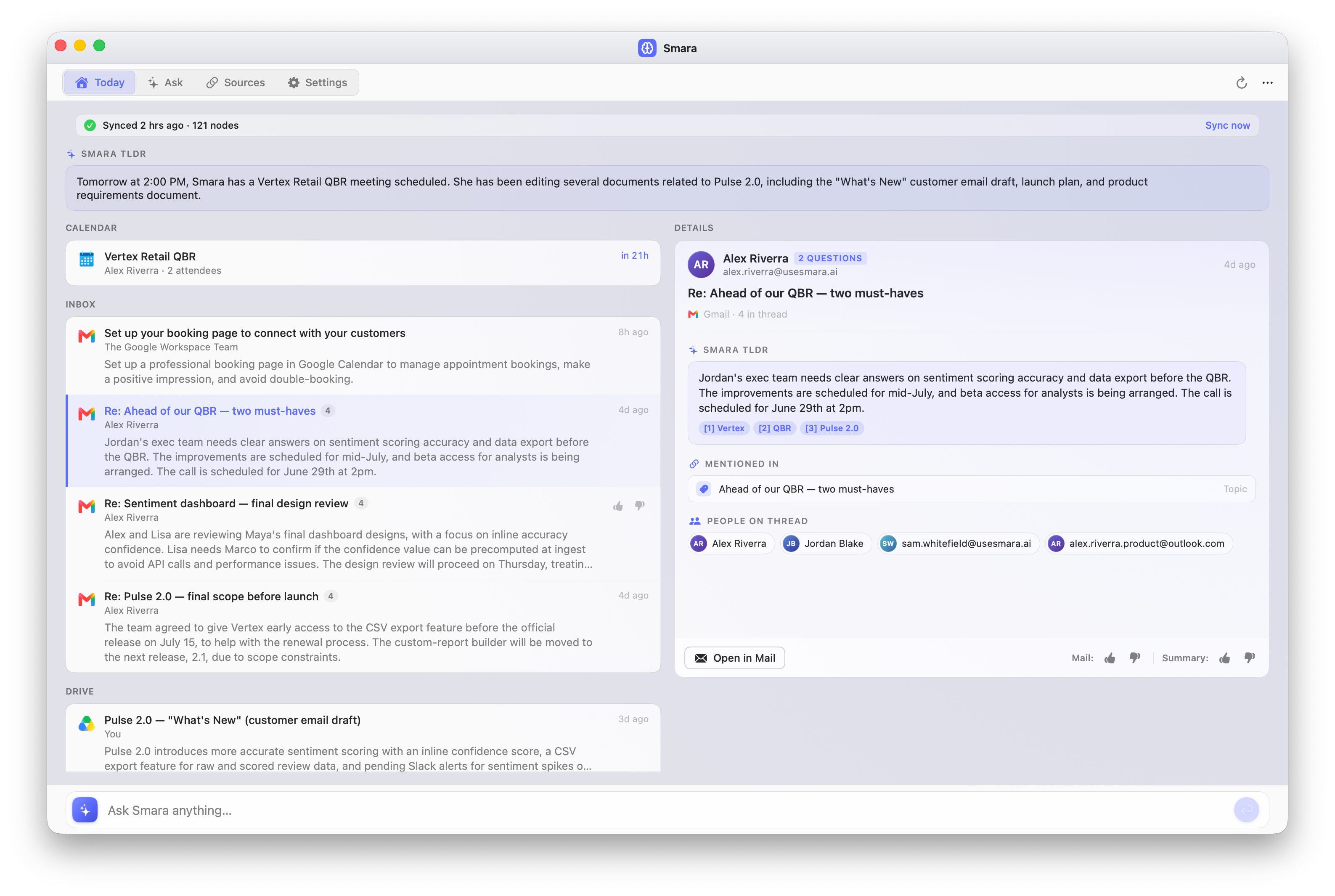
Ask across everything. Answered with citations.
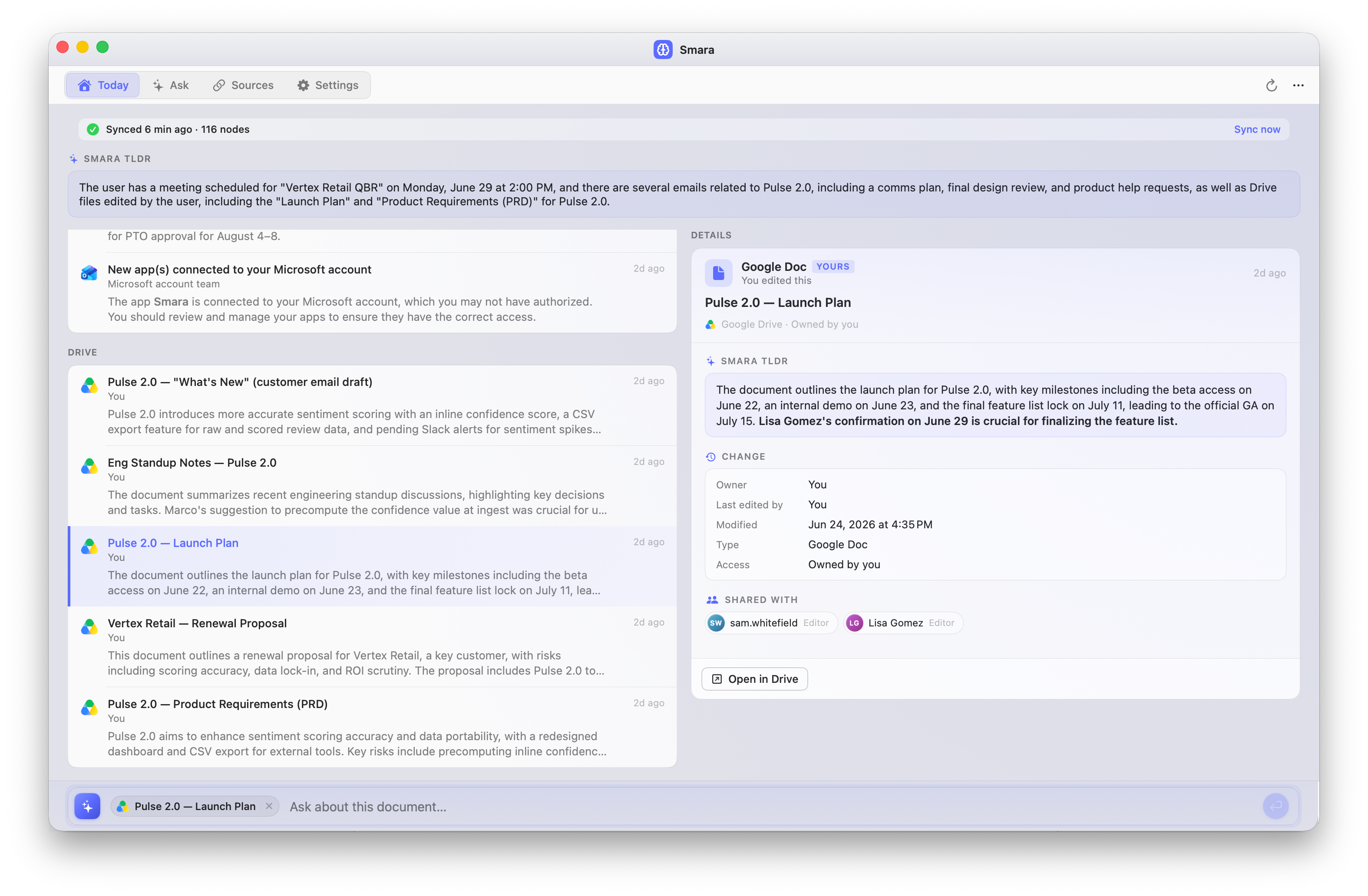
“Who is this customer, what project, when did we last meet, and which doc did they send?” Smara answers from mail, calendar and Drive at once — in plain language, with citations. The search runs against the index on your own device; only the text behind the answer is sent.
- Cross-source answers no single app can give — mail + calendar + files
- Every answer traceable to the message, event or document behind it
- No index, embedding or copy of your data is ever uploaded
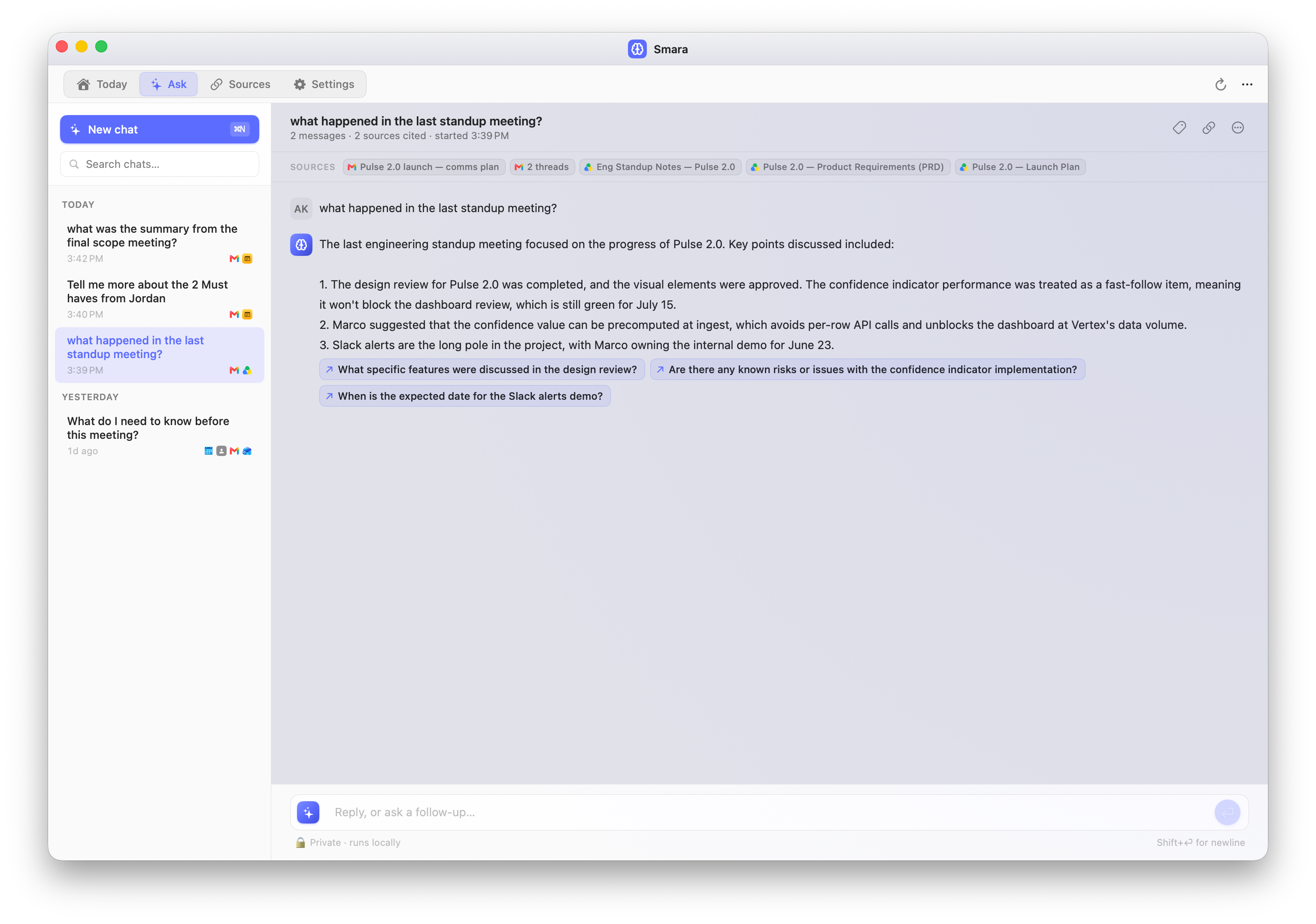
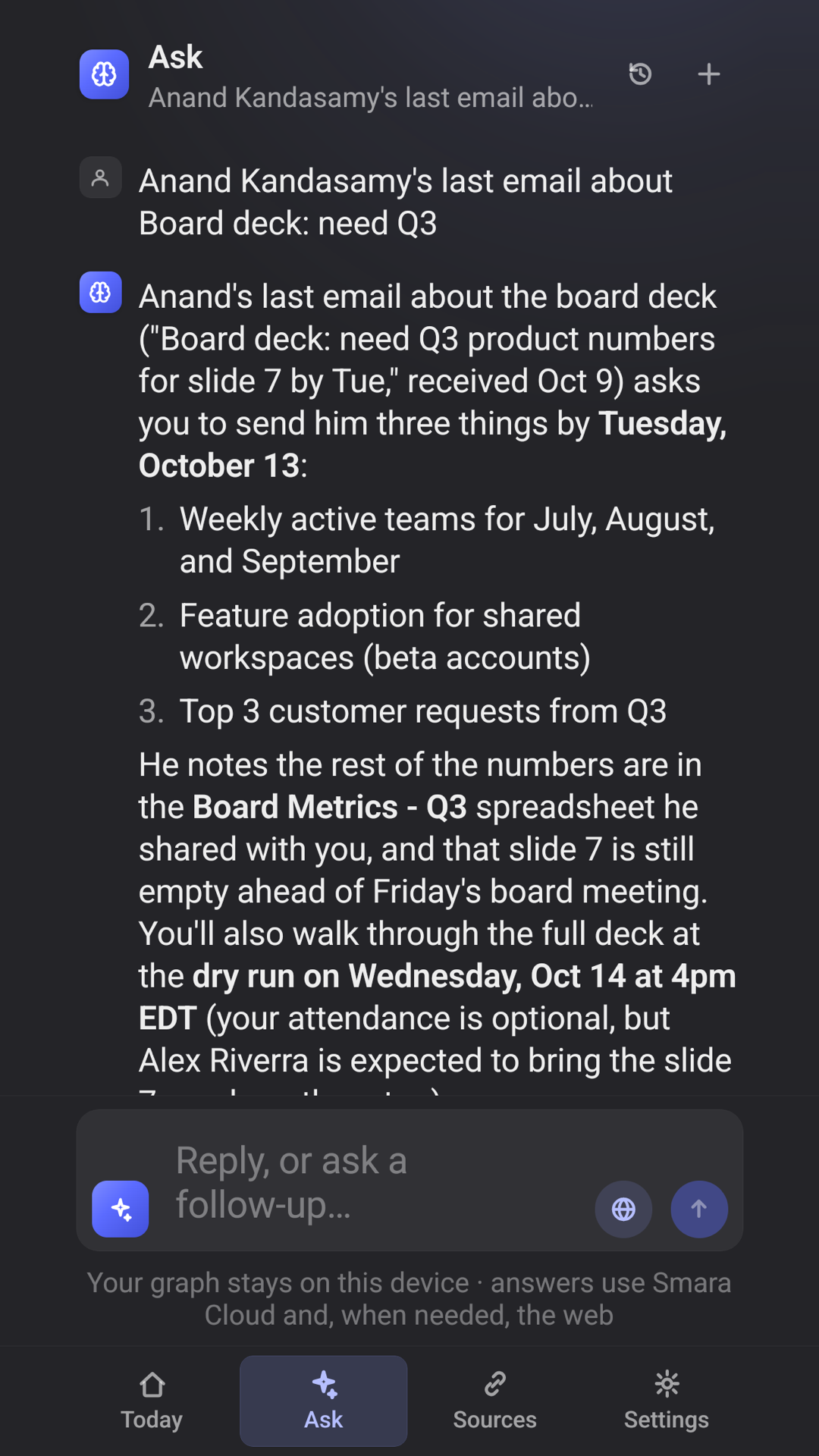
Zoom in on one thread at a time
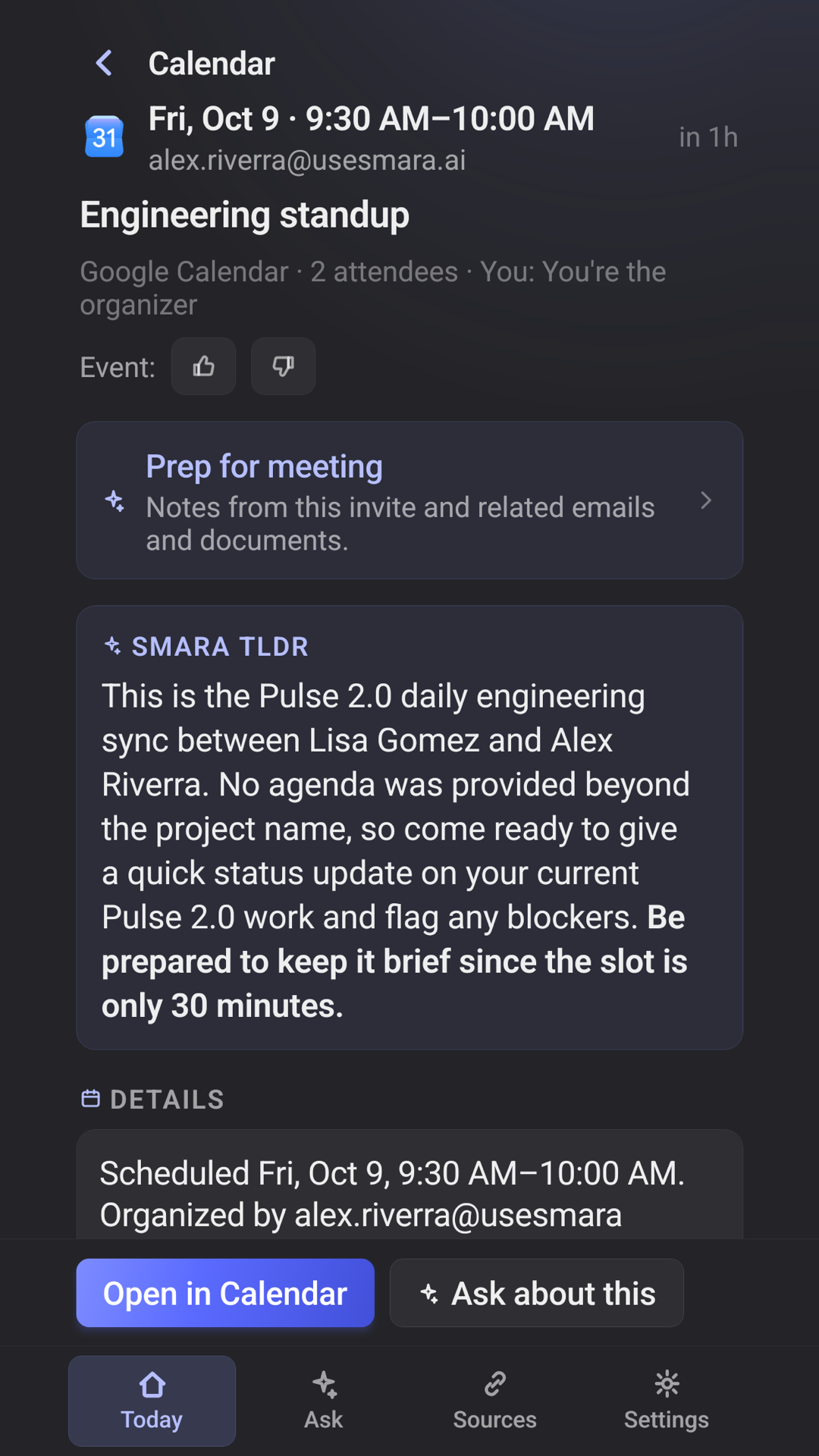
Open any email and the Ask bar narrows to just that thread — a tinted scope chip makes it unmistakable. Ask follow-ups about this conversation alone, then drop scope to go wide again.
- Per-item scope, shown right in the composer
- AI TLDR and an explicit “asks of you” checklist
- Graph-resolved links to everywhere it's mentioned
You control what it sees
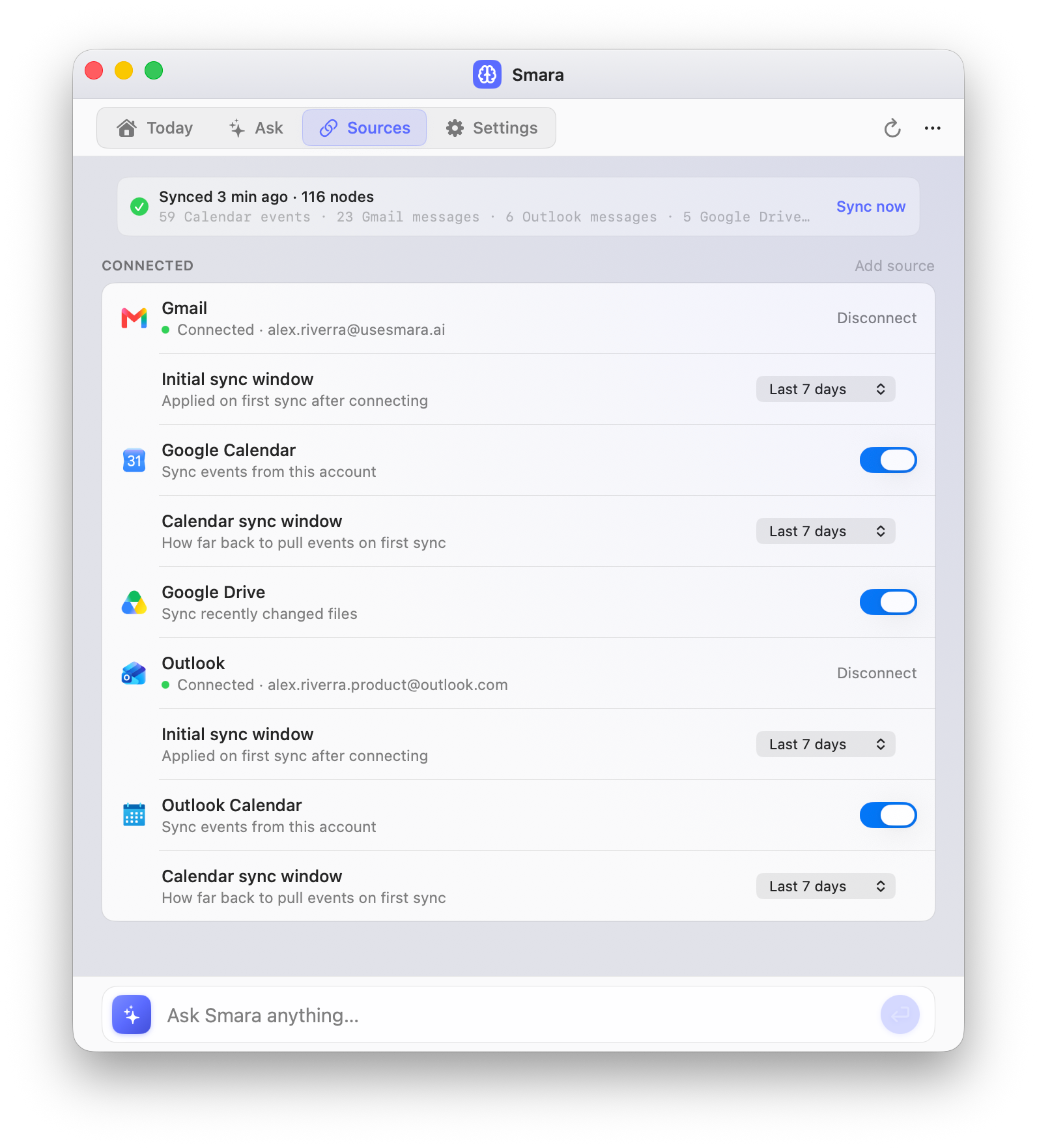
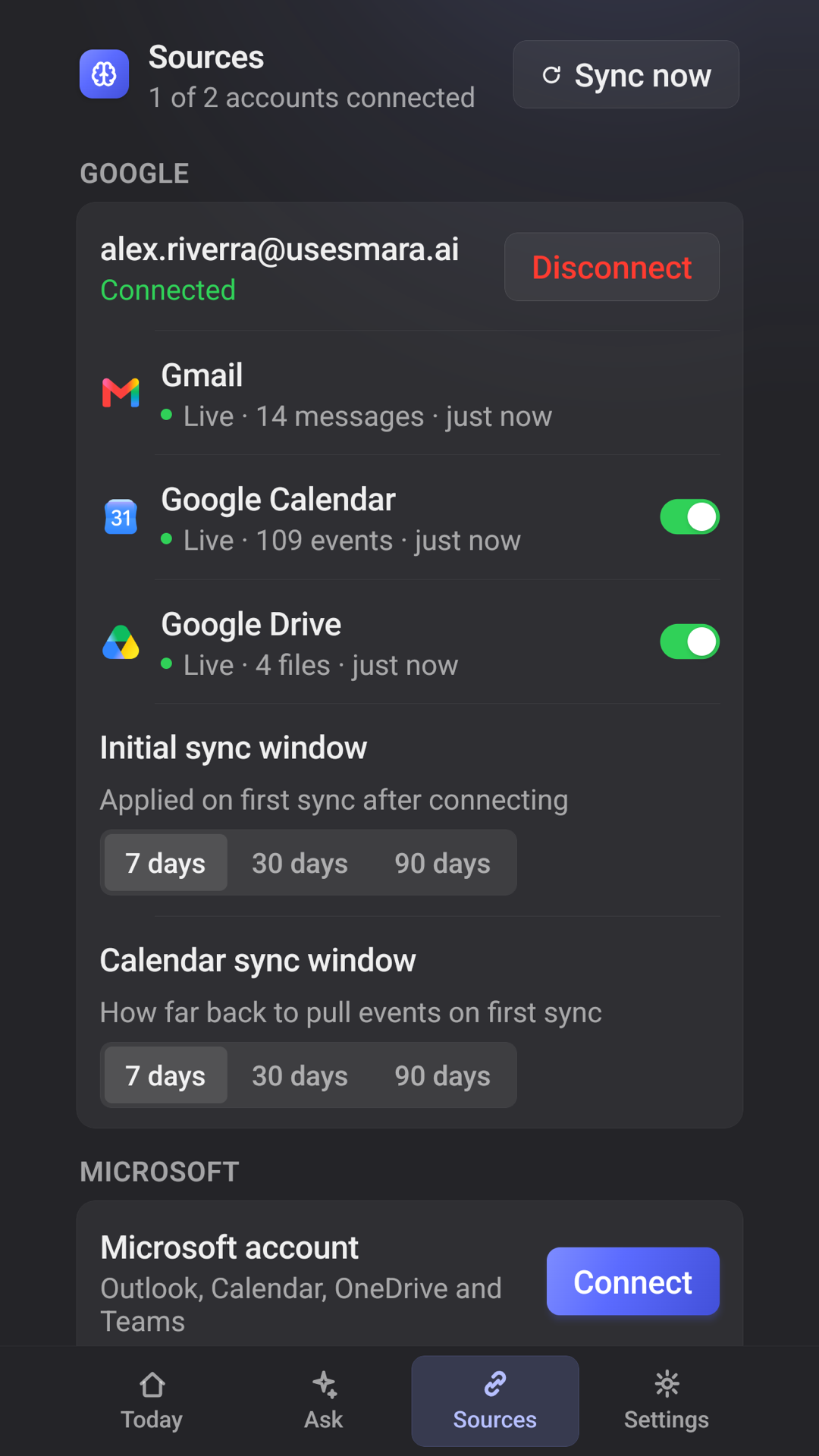
Connect Gmail, Outlook and Drive — Smara reads them, and writes only when you click — pick how far back each one syncs, and toggle any source off anytime. One button erases the entire knowledge graph on that device, and nothing you asked was kept anywhere else.
- Writes only when you click, to send a reply, answer an invite or add an event — never on its own
- Per-source on/off and adjustable sync window
- Erase the whole graph on the device, instantly
Your data isn’t the business model.
Smara answers in the cloud, but your index stays on your device, nothing you send is stored, and none of it trains a model. No Smara account, no analytics, no ads business.
Your index never leaves the device
Smara builds its knowledge graph in a database on the device itself. There is no server copy of your mail, no central index, and nothing syncs between your Mac and your phone — each device indexes its own accounts. Cached message and document bodies are encrypted at rest with a key held in the device’s own keystore.
Nothing you send is kept
Answering sends only the text Smara needs for that one request, over TLS to Smara Cloud. It is held in memory for the length of the call and then gone: request content is never logged, and gateway logging is off on every call.
Writes only when you click
Mail, calendar and files are pulled with least-privilege OAuth scopes and indexed into a knowledge graph in a local database. Smara writes to your accounts only when you click, to send a reply you’ve written, answer an invitation or add an event to your calendar — never on its own, and it never deletes anything.
Never used to train a model
Not by Smara, and not by its cloud provider. No human other than you reads your data, none of it is used for advertising, and there is no ads business behind Smara for it to feed.
Yours to erase
One action permanently deletes every node on the device. Nothing you asked was stored on a server, so there is no vendor copy left to request or delete.
- Google OAuth verification Read access to Calendar, Gmail & Drive approved
- CASA Tier 2 security assessment ADA-CASA AL1 complete, August 2026
Everyone answers in the cloud. Not everyone keeps your data.
Copilot and Gemini read your inbox in their own clouds, where your mail already lives. Smara sends the text behind a single answer, keeps none of it, and leaves your index on the device you’re using.
| Microsoft Copilot | Gemini in Gmail | SMARA | |
|---|---|---|---|
| Where your index lives | Microsoft cloud (M365 Graph) | Google cloud (your account) | On your device. Never uploaded. |
| Who keeps your content | Microsoft, in your tenant | Google, in your account | Nobody. Held in memory for the call, then gone. |
| Where it answers | Microsoft’s cloud | Google’s cloud | Smara Cloud — the text for one answer |
| Works offline | No — needs Microsoft’s cloud | No — needs Google’s cloud | Search, yes. Answers need a connection. |
| Account needed | Microsoft 365 account | Google account | No Smara account — just a license key. |
Every assistant's model runs in a data centre now, including ours. What differs is what happens next: their copy of your work stays, and ours was never made.
One plan. $9.99 a month.
One subscription covers up to 3 devices, with a 14-day free trial to start. Teams can talk to us about licensing.
- Answers across your mail, calendar and files at once, in plain language, with citations.
- Gmail, Google Calendar, Google Drive, Outlook, Outlook Calendar and OneDrive
- Your knowledge graph is built and stored on each device — nothing syncs, and there’s no server copy
- Up to 3 devices, sharing one fair-use allowance of about 30 million tokens a month
- Reach the allowance and syncing keeps working — answers pause until the monthly reset
- Answering sends the text Smara needs to Smara Cloud, which runs on Cloudflare. It is never stored and never used for training. What leaves your device
- On Mac: Apple Silicon (M1 or later) and macOS 15.1 or later — Intel Macs aren’t supported. iPhone and Android coming soon.
- On the roadmap
- Central policy, SSO & fleet admin
- On-device inference for Apple Silicon Macs
- Windows support
Give your work a private memory.
A knowledge layer across all your work, with the index on your own device and nothing you send kept. Free for 14 days.
Coming soon — get notified Get notifiedOn Mac: requires Apple Silicon (M1 or later) and macOS 15.1 or later. Intel Macs aren’t supported. iPhone and Android coming soon.